
The ticket said: "Your site says I don't have an account, but my phone says I do." She was right twice. She had closed her account in March, opened a new one in April under a work email, and in September her password manager was still offering the March passkey on our sign-in page. She tapped it. We rejected it. The browser told her nothing useful, because from the browser's point of view nothing had gone wrong — it presented a credential, we declined it, that is a normal Tuesday.
Shipping passkeys on that product took about two weeks. The lifecycle work took six months and is not finished. Three projects later we have stopped calling this an authentication feature. It is a migration, and the thing being migrated is not the login form — it is every assumption your account system makes about credentials it can see, list and delete.
WebAuthn Level 3 became a W3C Recommendation on 25 August 2026, which moved a set of lifecycle mechanisms out of "watch the draft" and into something you can put in a delivery plan. The headline additions are three methods with unglamorous names. They are the missing write channel, and the reason this post exists is that having them is roughly a third of the work.
The credential lives in a database you do not own
A discoverable credential — the thing that makes passkey autofill feel magic — is not stored by you. It is held by the platform: iCloud Keychain, Google Password Manager, 1Password, a hardware key. That store is keyed by your RP ID and holds the credential id, the public key, and two strings it will show the user: user.name and user.displayName. Your server holds the other half: which accounts exist, which are closed, which credentials you have revoked, and what that person's email is today.
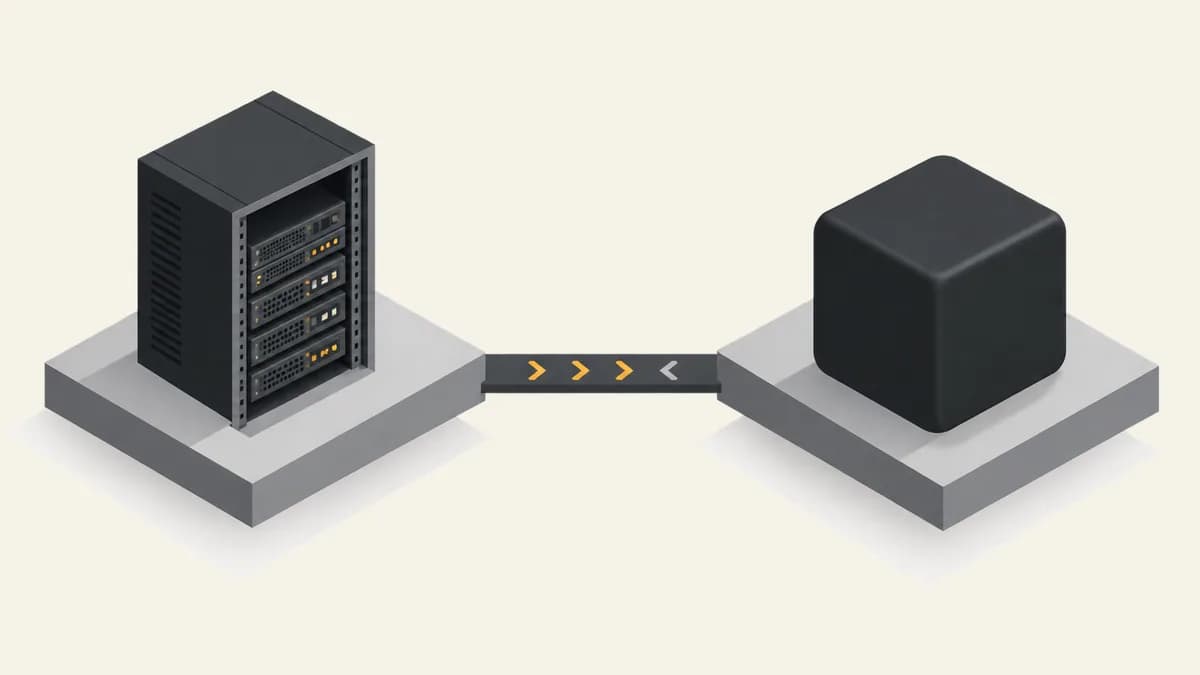
Both stores are authoritative, for different questions. Yours answers who exists. Theirs answers what the sign-in sheet offers. And until Level 3, information flowed in exactly one direction: they presented, you verified. Delete a row in your credentials table and precisely nothing happens on the user's device. Change someone's email and their phone keeps advertising the old one for as long as the passkey lives, which on a synced keychain is effectively forever.
Two stores, each authoritative for a different question
Read that bottom line again, because it is the whole design constraint. These are not server-to-platform APIs. There is no endpoint to POST a revocation to. A signal only lands when a page on your origin, in the browser attached to that credential store, calls the method. Your account-closure job runs on a worker with no browser anywhere near it. Your admin revoking a lost laptop is sitting in a different browser than the one holding the passkey. Neither of them can issue the signal that their action requires.
Three calls, and not one of them belongs to your login screen
- signalUnknownCredential() — you were handed a credential id you have never seen, or one you revoked. Call it with the RP ID and that id, and the store may remove the entry. This is the only lever that reaches a deleted account, because a deleted account has no future authenticated page load.
- signalAllAcceptedCredentials() — the reconciliation call. You send the user handle plus the complete list of credential ids you still accept, and anything not in that list can be pruned. It is idempotent, which makes it the one worth calling more often than strictly necessary.
- signalCurrentUserDetails() — the cosmetic-looking one that generates real tickets. It updates the name and display name the store shows. Skip it and someone who changed jobs sees a three-year-old personal address in the autofill sheet and assumes they are about to log into the wrong account.
Look at where that code has to live. The failed-assertion branch of sign-in. The account-closure flow. The revoke-device button. The profile-update success handler. The registration success handler. Five places, four of which nobody on the team thinks of as authentication code, and one of which is a background job that cannot make the call at all. That is why this arrives as a lifecycle migration rather than a feature: the diff is spread across the parts of the product that own account state, not the part that owns login.
| Lifecycle event | The call that belongs there | Where that code actually has to run |
|---|---|---|
| Account closed | signalUnknownCredential(), on the next attempted sign-in | The failed-assertion branch of the sign-in page. There will never be another authenticated page load for this user, so this is the only place left. |
| Passkey revoked — lost device, admin action, support request | signalAllAcceptedCredentials() with the surviving ids | The next page load by that user, replayed from a pending-signal record. The revocation itself usually happens in an admin tool or a worker, with no browser attached. |
| Email or display name changed | signalCurrentUserDetails() | The profile-update success path, plus the same replay — the change is often made on a laptop while the passkey sits in a phone's keychain. |
| New passkey registered on another device | signalAllAcceptedCredentials() with the full list | The registration success handler. The cheapest of the four to get right, and the one that quietly repairs drift the other three missed. |
The mechanism that makes this work is dull and small: put a version number on the credential set. Every add, revoke, rename or closure bumps it server-side. Every page load on your origin compares the version the client last acted on against the current one and issues the signals it owes. Ours is about forty lines and a column. The reason to name it explicitly is that teams reach for a webhook or a queue here, and there is nothing on the other end to deliver to.
One trap cost us a fortnight. The signal methods take credential ids as base64url strings, not the ArrayBuffers you pass everywhere else in WebAuthn. Our first implementation handed them the same buffers we build for allowCredentials. The calls resolve with no return value and no error — they are best-effort by design, and the store is free to ignore them — so there is no signal that your signal did nothing. We only found it because the stale-credential tickets kept arriving after we had declared the fix shipped.
Treat the calls as fire-and-forget, then verify the outcome from the other end. The count of signalUnknownCredential() calls per day is the best stale-credential gauge you will get. Ours dropped 94% in the three weeks after account closure was wired up properly, and that drop is the only evidence we have that it works.
The five states we did not model the first time
- The closed account that comes back. Same person, new account, new user handle, old passkey still in the sheet. They will tap the old one first, because it is the one with the familiar email on it. Handle this on the sign-in path or you cannot handle it at all.
- The rename. Personal address to work address, maiden name to married name, or a display name someone set as a joke in 2023. The passkey keeps advertising the old one. Users read that sheet as authoritative, because on every other site it is.
- Server-side revocation.You revoked the credential for a stolen phone. Correct, and invisible: the phone still offers it, the thief still sees a working-looking login, and your support team gets asked why the revocation “did not work”. It did. The sheet is a cache.
- Every passkey lost at once. The one that actually decides your security posture, and the one most rollout plans defer. If the answer is an emailed link, your account-takeover risk is the security of email — the passkey has changed nothing about it, only moved it.
- More than one domain.An RP ID is a commitment, not a config value. Register separate RP IDs per brand and you cannot merge them later; every user re-registers on every property. Level 3’s related origin requests, served from a well-known file, are the supported way to share one RP ID across origins — decide this before the first credential exists.
“A passkey rollout whose recovery path is an emailed magic link has the security of an emailed magic link. Attackers do not attack the strongest factor you offer; they attack the one you built for the day it fails.”
That last point is worth being blunt about, because it is where the marketing and the engineering diverge. Passkeys are genuinely phishing-resistant and they genuinely killed a category of credential-stuffing traffic for us — one client's failed-login volume fell by roughly two thirds in a quarter. None of that raises the floor set by recovery. We now write the recovery path and its honest risk rating into the same document as the rollout plan, and we run a drill with the support team before launch, because the first real recovery case will be handled by a person reading a script, not by your code.

If you are starting this on Monday
The order that has worked for us, three times
- Pick the RP ID first, for the whole brand family, and use related origin requests for the other origins. This is the only decision on the list you cannot revise later.
- Add the credential_set_version column and the page-load replay before you add a single user. Retrofitting it means a backfill you cannot run, because the only delivery mechanism is a browser you do not control.
- Wire signalAllAcceptedCredentials() into the registration success handler on day one. It is idempotent, it costs nothing, and it repairs drift the other paths miss.
- Wire signalUnknownCredential() into the failed-assertion branch, and put a counter on it. That counter is your only visibility into a store you cannot read.
- Write the recovery path, its risk rating, and the support script in the same document as the rollout plan. Then run one drill with a real support agent and a real locked-out account.
- Roll out to staff for a week with passwords still enabled, and read the tickets rather than the dashboards. Every failure mode in this post reached us as a sentence from a human, never as an alert.
The promotion this year is that Level 3 makes passkeys deployable. That is close enough to true, but it undersells what it hands you: not a smoother login, a write channel into a store you previously had to leave inconsistent and hope. The three calls are easy. The place to call them from is the design work.
Our rule now is the same one we apply to any cache we do not own — and the autofill sheet is exactly that. Decide who invalidates it, decide when, and decide how you will notice if that stops happening. Skip the third one and you get our March passkey: six months stale, offered first, and reported by the only person who could see the problem.